Hub Activity Analysis
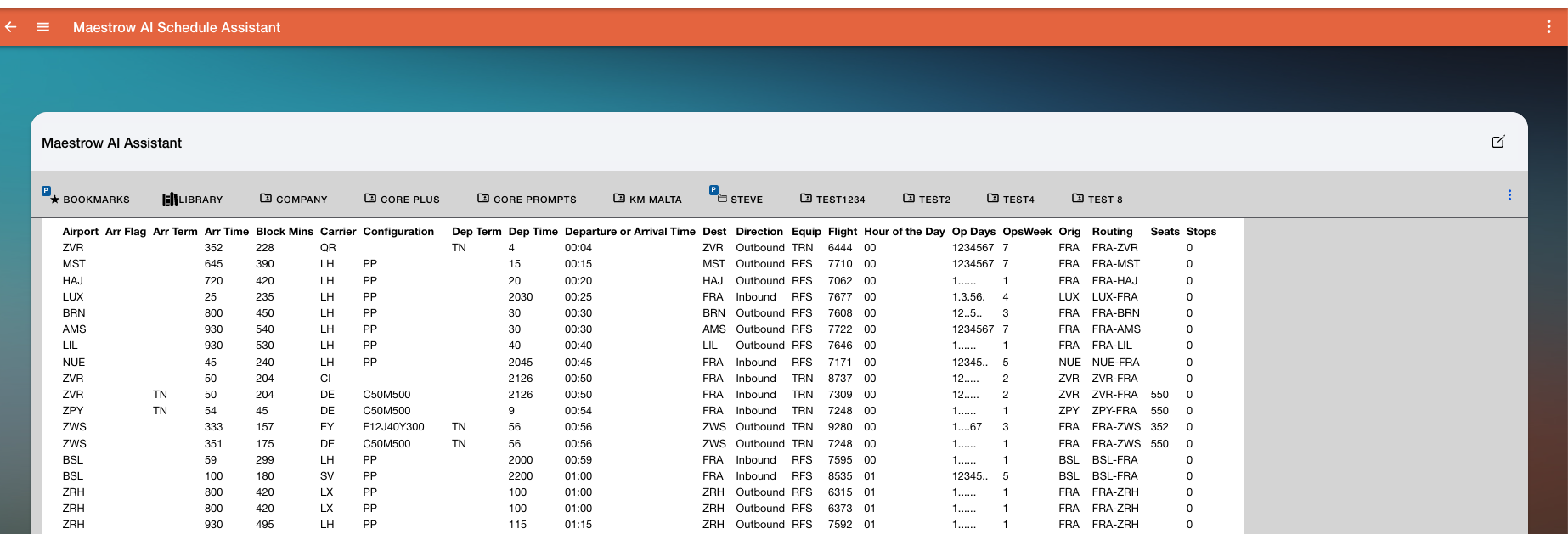
The Hub Activity analysis provides detailed insights into all flight movements — both inbound and outbound — through a specified hub airport for a given date. It shows traffic volume, carrier participation, and operational patterns, with optional filters for partner airlines or codeshare exclusion.
Keywords
Use one of these words or phrases in your prompt:
Hub Activity Reporthub activityactivity report
Prompt Examples
Create a hub activity report for MLA on January 6th, 2026. Exclude codeshares.
Provide a hub activity report for UA in EWR for January 15th, 2026, focusing only on inbound flights.
Generate a hub activity analysis for FRA on 2025-12-01 including only carriers operating wide-body aircraft.
Variables and Filters
- Hub Station — IATA code of the airport to analyse (e.g. ATL, FRA, MLA)
- Report Date — specific date of interest; all flights operating into and out of the hub on that date are included
- Dataset ID — defaults to the most recent published schedule dataset; specify manually to use a different dataset
- Partner Carriers — restrict the report to one or more specific airlines; leave blank or set to
ALLto include all carriers - Exclude Codeshares — filters out flights with codeshare designators (L, X, S, or Z) to show only operating carrier activity
Optional Filters
- Inbound / Outbound Focus — generate separate reports for inbound, outbound, or both
- Alliance — restrict activity to a specific alliance or joint venture
- Aircraft Type — filter by type (e.g. narrowbody, widebody)
- Time Range — focus on flights within a specific window (e.g. morning peak or evening bank)
Outputs
Results can be viewed in three ways:
- Display in chat for immediate review
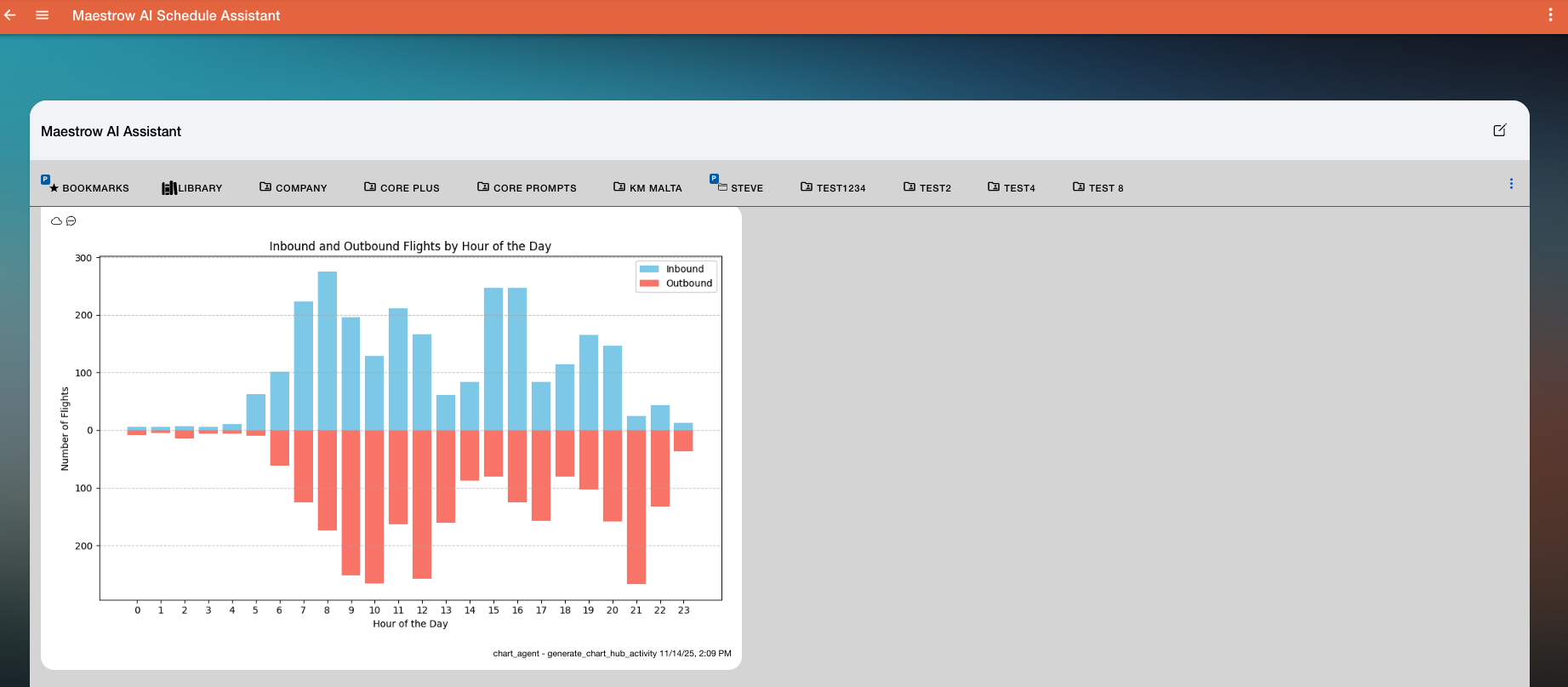
- Generate a chart (e.g. bar chart) for visual analysis
- Export to CSV for further analysis or sharing